
Back in the late 90’s the G3 iBook was one of the coolest laptops you could ever get. Colors, great keyboard, decent battery for its time, and for the most part, the iBook and later the MacBook were the cornerstone for entry level Apple laptops. After the release of the MacBook Air though, the MacBook went away. Sure, there was an attempted revival of the MacBook back in 2014, but that was short lived. There were too many compromises and the MacBook Air was just a better fit for most consumers.
Today… The MacBook Neo is the great disrupter of the portable computing industry. Sure it’s running a mobile chip, but it’s super capable and on par with M1 performance. It’s no wonder Apple chose this chip for its entry level MacBook and if I had to choose between a $500 dollar Chromebook or the $500 dollar MacBook Neo, It would be the Neo every time. Let’s talk about it because there is a lot to unpack here.
Colors and Options
The MacBook Neo comes in two flavors with some welcome color options. Color options are amazing and they do not disappoint. You’re able to pickup a Neo in:
- Citrus
- Indigo
- Blush
- Silver (AKA Safe Silver)
The MacBook Neo comes in two hardware flavors with the only difference being storage size and Touch ID. For $599 ($499 EDU) you get 256GB of SSD storage and no Touch ID. For a cool $100 USD more you get Touch ID and double your storage with 512GB instead of the 256GB SSD. All models come standard with a 13 Inch display, 1080P webcam, stereo speakers, and a headphone jack. There is no True Tone in the display but for the price, I think it’s just fine.
Apple Quality from Open to Use
The biggest surprise in this laptop is that at the price point, you’ll be hard pressed to find the same level computer in Windows land with the quality, detail, and premium feel like the Neo. The recycled aluminum body is just what you’d expect from Apple, but not what you’d expect at the price.

Even the feet on the bottom of the laptop matches the subtle blue of the aluminum body. The attention to detail at this price just continues to delight me.
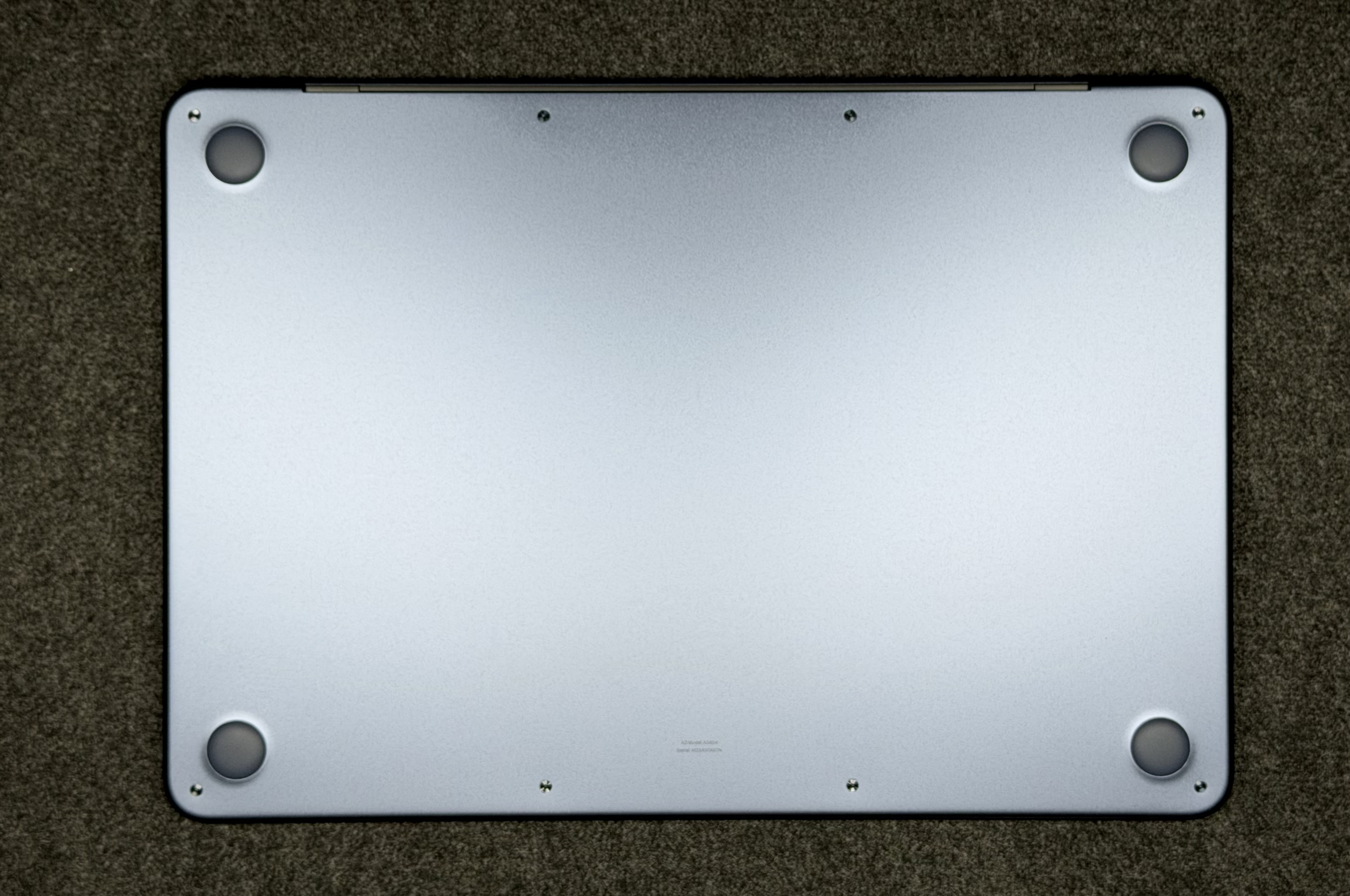
Two USB-C ports, stereo speakers, bright display, wonderful keyboard, great battery, and trackpad wrapped in the smoothest aluminum frame that I just absolutely adore from the moment you take it out of the box.
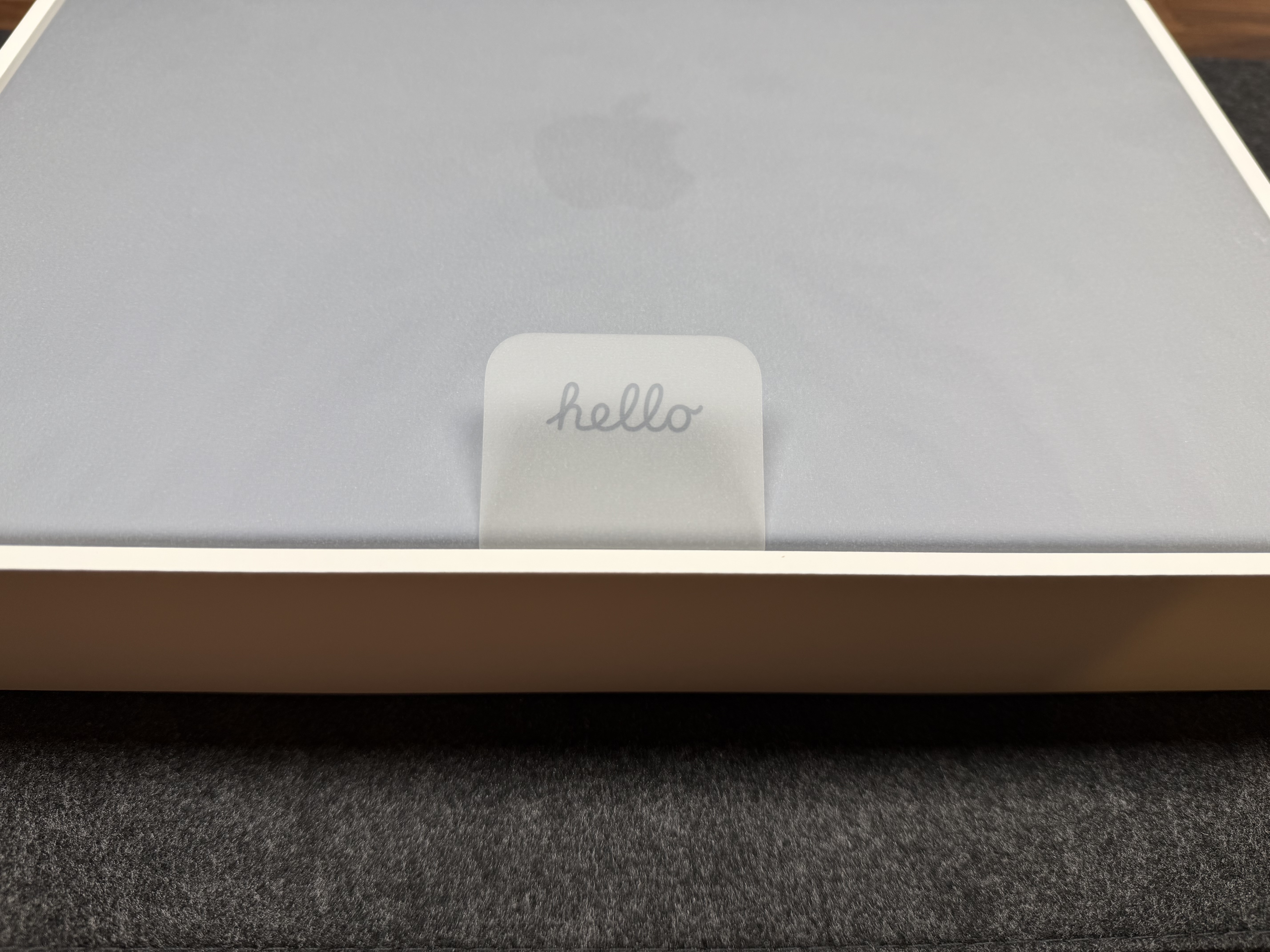
Speaking of the box, Once you open it up, you’re greeted with my favorite detail of probably any package ever. “Hello” on the pull tab to remove the neo from its box. It’s a subtle nice touch.
Inside the box you’ll get a charger and charging cable. The charging brick is the iPad Pro charger which tells you how much juice this little guy needs to charge.
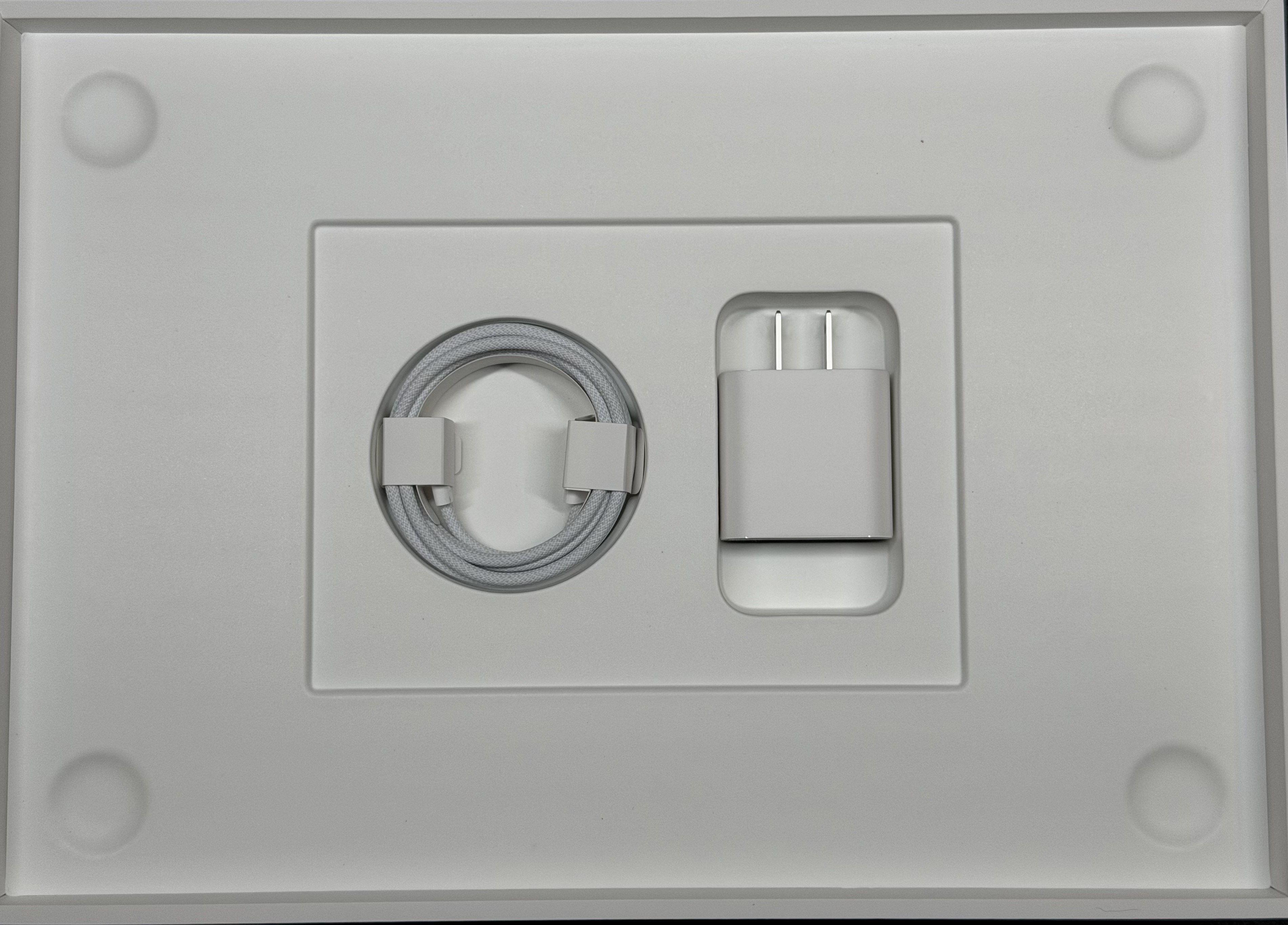
If there is anything at all I’d like to see differently, would be color matched USB-C charging cable and more length on that cable. I can certainly make do with what’s there and in scenarios like schools, it’s probably fine, but I think a longer cable would make a little more sense.
Comparing the Neo to other Apple Products
The Neo is about the same thickness as the 13 inch MacBook Air. This is perfect from a portable package perspective.
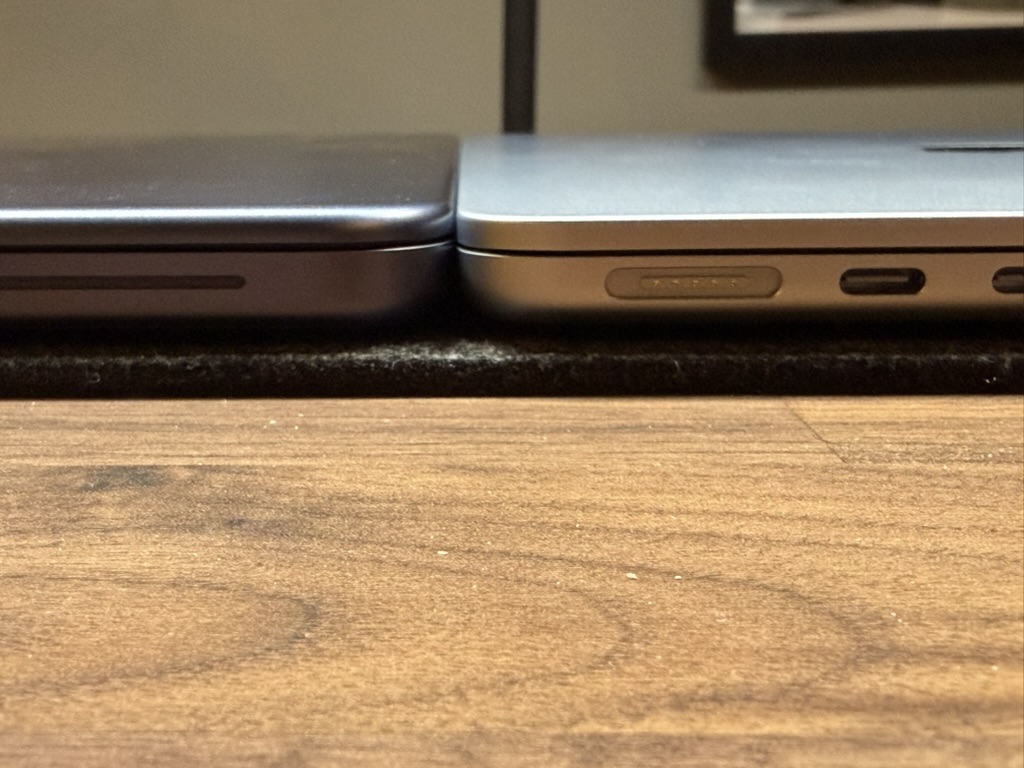
I love the size of the MacBook Air and the fact that the Neo is super duper close in thickness (.50in on the MBN versus .44in on the MBA). This size and thickness is perfect. You won’t be disappointed in tight spaces trying to type. How does it compare to the rest of the portable Apple products like the MacBook Pro or even the iPad Pro?
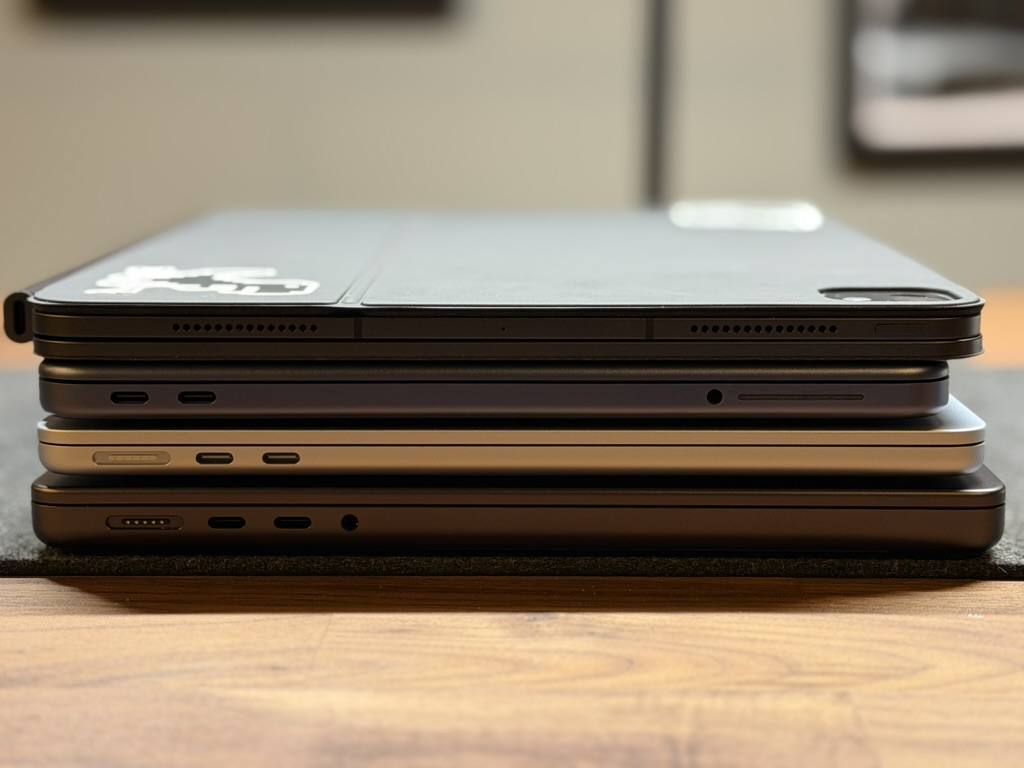
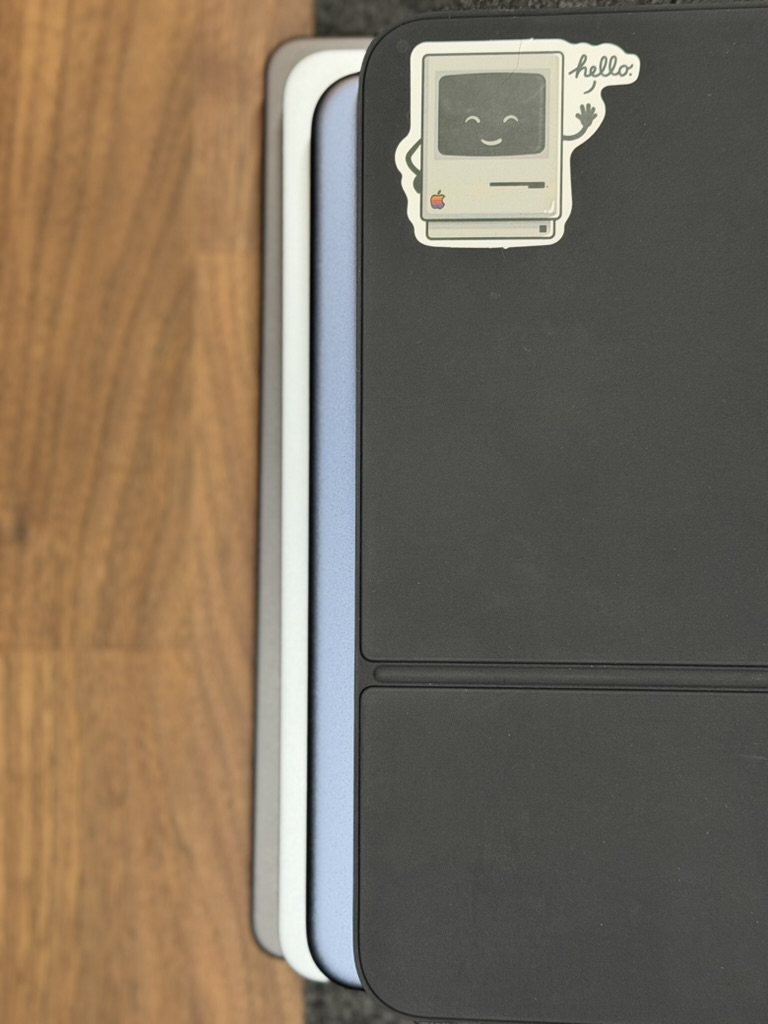
You can see for yourself, they are close to the same size with the MacBook Pro being the largest. The iPad Pro has a different aspect ratio which is why it’s a little longer compared to the Neo. From the bottom to the top:
- 14 Inch MacBook Pro (Bottom)
- 13.6 Inch MacBook Air
- 13 inch MacBook Neo
- iPad Pro (Top)
Connectivity is…. Fine
The MacBook Neo has two USB-C slots but they are not created equal. One is USB-C 3.0 while the other is USB-C 2.0.
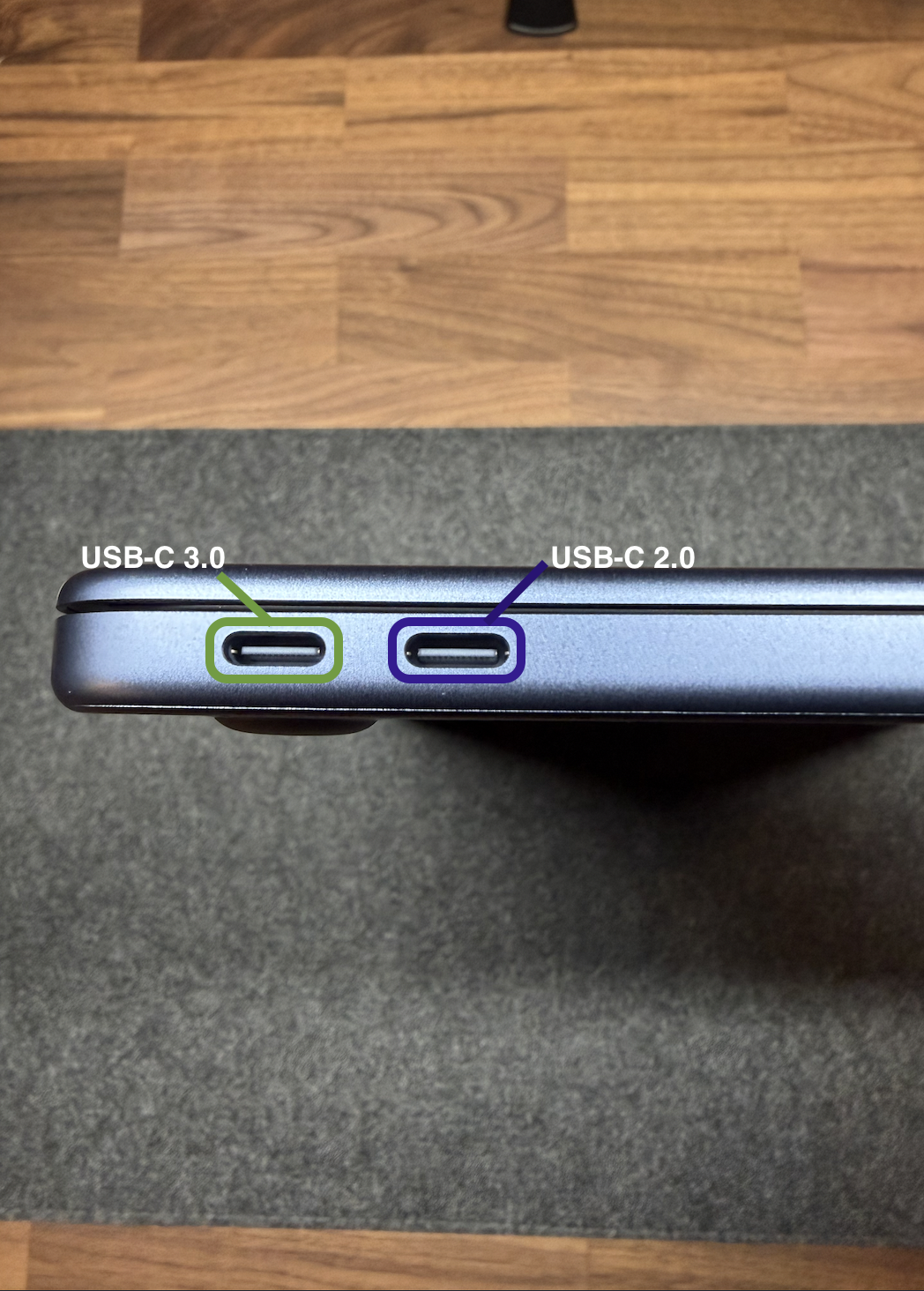
Only the USB-C 3.0 port can support a display and the MacBook Neo is happy to tell you that you’ve connected it to the wrong port. This is very thoughtful since there are plenty of Windows laptops out there that can only use one port for charging/external displays.
Not that you would pair the Neo with the Apple Studio Display, but you can connect it to the Neo for a larger display. obviously the Studio Display is not marketed to this laptop nor should it be. Its s different market.
You also get a headphone jack closer to the front of the Neo. Something I’ve wanted on the MacBook Air/Pro for a long time. I think that placement is ideal but I’d probably only want it on the left side. Sorry lefties. I’m a lefty too but I use my mouse with my right hand.
A18 Pro.. Booya!
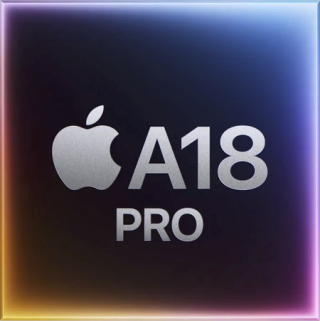
an iPhone Chip running macOS tells you just how far ARM performance with Apple has come along. macOS is super optimized and the fact that this laptop is running an iPhone chip speaks to the power of the A series processors being produced today. its a 3nm chip with a 6 core CPU and 5 core GPU. the CPU contains 2 performance cores and 4 efficiency cores. For those non nerds, Performance cores are physically larger and come with higher speeds to chew through processing tasks quicker. Efficiency Cores are design to handle every day tasks with less energy consumption. This keeps the power hungry performance cores from burning through your battery quicker where the horsepower isn’t quite needed.
On the surface it seems innocuous that the Neo has an iPhone chip. I see a much longer vision here. I want to preface this AS SPECULATION, but I see a future from Apple where a single device has the potential to be it. In your hand, “its a phone, an iPod, and an internet communicator” but when connected to an Apple Studio Display or any external Display for that matter, its a fully fledged macOS capable system. I plan to dive into this separately, but I see amazing possibilities here.
8GB of Memory… Hmmm
Most spec hounds, myself included might balk at 8GB of Ram in the MacBook Neo and won’t look further. On the Surface, 8GB of Ram is not a lot, and we will get into how macOS handles it later, but I don’t think its such a big deal given who the target market is for the Neo. After thinking about this in more detail, I think the 8GB ceiling on the Neo is probably more chip architecture based honestly. I think future versions of this product will include more memory, but I don’t think that’s cause to wait for version 2.
Keyboard and Trackpad
This keyboard is just amazing. Firstly, it has a light hue on the keys to subtlety match the color of the chassis. It feels just like the premium or even the iPad Pro magic keyboard. it’s wonderful to type on. It is missing the backlight on the keyboard but at this price, I think it’s a perfectly fine trade off. If you like the MacBook Pro keyboard, you’re gonna love the keyboard on the MacBook Neo.
The Neo sports an actual clickable trackpad which is much different than the rest of the MacBook lineup. The clickiness of the trackpad is wonderful though I think some might want a bigger trackpad. In my use I found it just fine and I suspect it will be just fine for most people.
App Compatibility Issues?
I did see some comments around certain Microsoft Apps not running on the Neo or showing up as “Not compatible with this device”.
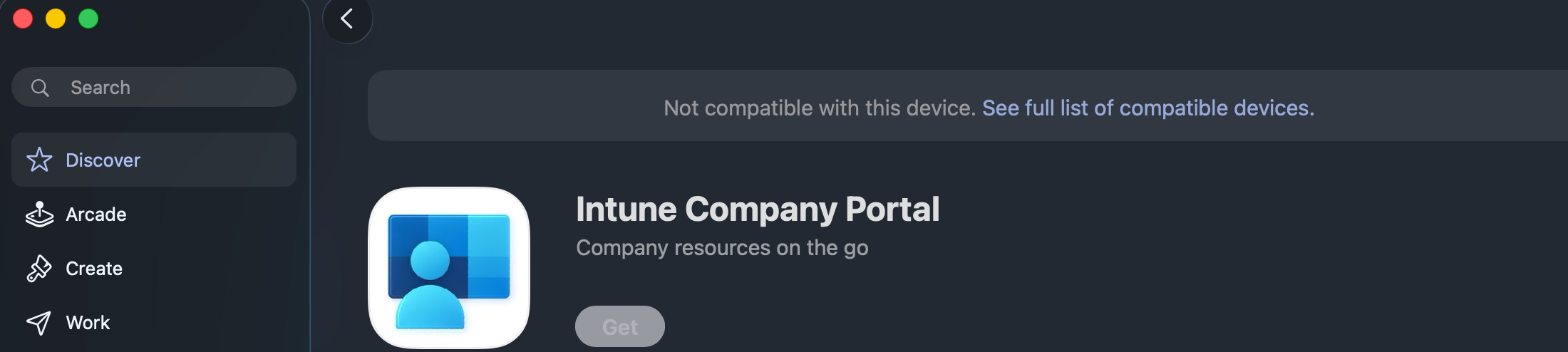
At first I wasn’t surprised to see it. It is after all a new hardware model with an iPhone Chip running macOS. Further investigation though seems to be a weird issue with the Mac App Store. This has happened in the past with other Macs when I looked into it. In my testing so far, I’ve not had any issues with this. Even the Company Portal listed in the Mac App Store said it wasn’t compatible, I could download from Microsoft directly and it installed without a hitch. Be aware your mileage may vary here, but for the common apps from Microsoft, Adobe, etc I haven’t experienced any application that would simply refuse to install. It is most likely just a “glitch in the matrix.” (See what I did there?)
Display
The display of the MacBook Neo is pretty good. There’s no notch and the bezels are thicker than I’d like, but bezel thickness seems like a knit pick. The screen boasts a 2408×1506 Liquid Retina Display providing 219 pixels per inch and I think it’s a wonderful display even though it lacks True Tone which I think most people don’t typically care about at this price point. It’s plenty bright with 500 nits of brightness but no HDR. Also not an issue. You should not expect it either at this price.
Performance
One of the first things that stand out on the MacBook Neo is the 8GB of memory. It seems a little crazy that in 2026, new products are coming with 8GB of memory but the way macOS handles memory is vastly different than other operating systems out there. For the nerds, there are 4 ways macOS manages memory/RAM:
- RAM. The fastest option. This is the spec you configure. The more ram, then conceivably, the more space to store things you are actively using
- Memory Compression. Before moving files to swap, macOS compresses it in memory to make room for more memory tasks and to avoid swap
- Swap. When memory is full, files are moved to Swap. Due to the speeds of SSD’s today, Swap is still pretty fast
- App Nap. While not directly used for memory storage, macOS will save power and memory by putting apps to sleep. This changes how much memory open but unused apps can consume.
In the case of the Neo, you’re going to fill up RAM faster. It’s just that simple. However, moving to swap memory isn’t terrible when you consider the speed of the SSD. I ran a quick SSD speed test with BlackMagic and the Read/Write speeds are fast. Not MacBook Pro fast, but handily fast considering its price. Expect to use more Swap if you get really crazy with apps, but in my testing so far using it for productivity, web browsing etc. I couldn’t tell which memory type I was using for something specific unless I went to look.
In my testing, I split writing this article between my MacBook Pro, Air, iPad and MacBook Neo. I use Ulysses for anything I write on this page since it’s a one stop shop for my blogging needs. In addition I edited some photos for this, paid some bills, checked email, and ran my household from the Neo. The Neo excelled at all of these tasks. When I use Ulysses on the iPad, it has some bugs they haven’t quite worked out with the Magic Keyboard. The experience across the Mac lineup for these tasks were exactly the same. if I closed my eyes and typed on each keyboard, I couldn’t tell the difference unless I used the trackpad. This speaks volumes about how great the experience is on the Neo.
Overall I think performance for this model is fantastic for someone who needs a computer to do basic tasks like Google Sheets, Docs, Apple Pages or Microsoft Apps like Word and Excel. It’s going to be great at those things in addition to email or web browsing. Also the MacBook Neo is going to perform great for students who don’t have demanding application requirements in High School or College.
Who is it for?
The MacBook Neo is really for the people who want to a simple computer for running their house, paying bills, sending emails, and doing other tasks like note taking or even some work in the Photos app. its for Grandma, schools who want to offer something besides Chromebooks and not pay double just for macOS.
Wrap Up
For my Marvel fans, Thanos says it best. “Perfectly balanced. As all things should be.” I truly believe this about the MacBook Neo. It’s the right combination of power, performance, and engineering at a competitive price. Firmly placing macOS and all its glory in the hands of consumers everywhere.
I think this is an absolutely wonderful offering from Apple and I fully see this growing in popularity. As of this writing, stock for these are bleak and ordering one from Apple in Citrus or Indigo are out a couple of weeks. I would imagine that inventory will improve soon. MacBook Neo is available at Apple and other retailers now.

 practicaloffices.com
Leave a comment